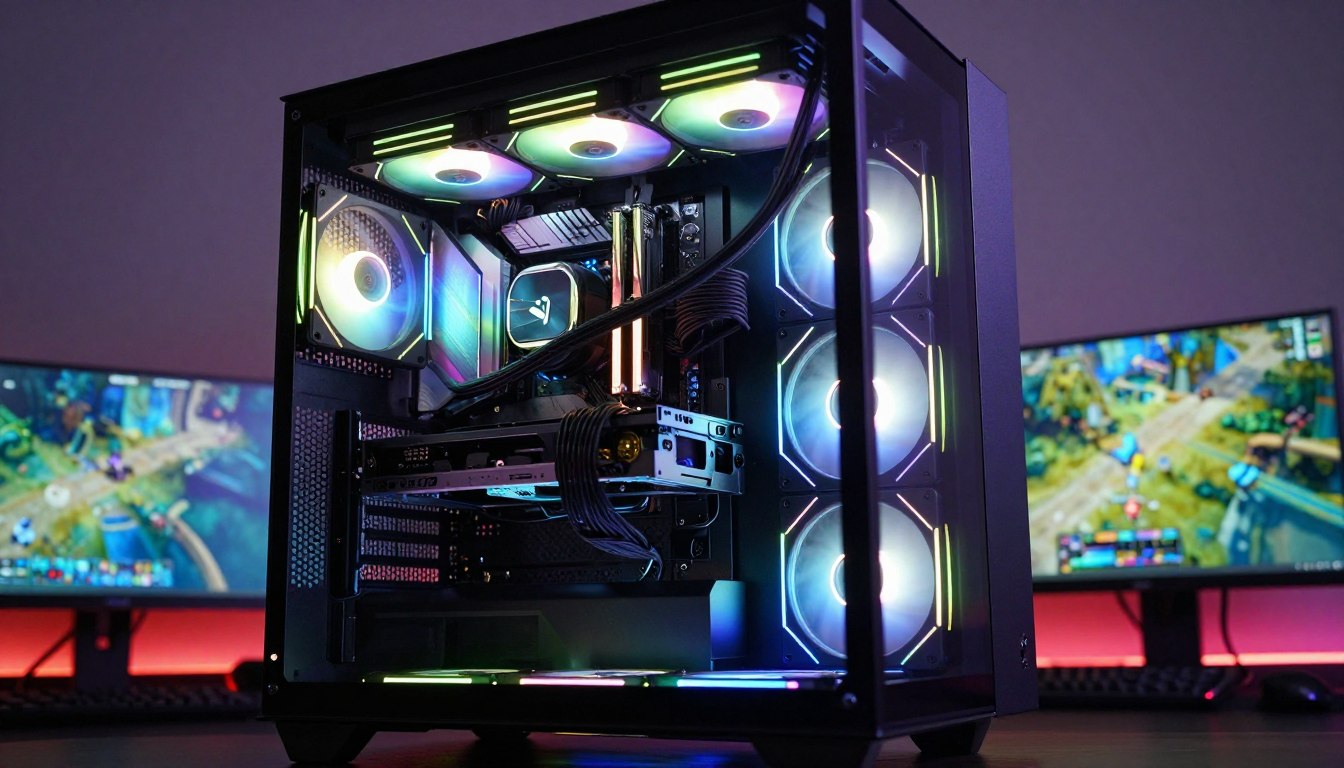

What Type of Liquid Cooling for Gaming PC: A Complete Guide
For most gaming PCs, an AIO is the simplest route to liquid cooling, while custom loops make sense for builders who want to tune every component and detail. Your CPU’s heat output and your case’s space both shape the choice. Air cooling remains a solid option, too; gaming does not require liquid. This guide helps you match performance, setup effort, and ongoing care to your build. A radiator is the finned heat exchanger that releases coolant heat into air moved by fans.
Key Takeaways
- An AIO is a practical starting point for liquid cooling.
- A custom loop gives you more control and more work.
- Air cooling can still be the best fit for your build.
- CPU demand and case clearance affect cooler choice.
- Choose around your CPU, case and willingness to maintain the system, not appearance alone.
What Are the Main Types of Liquid Cooling?
An AIO, a liquid-cooling kit and a custom loop are the three practical routes, with the amount of assembly and control increasing in that order. Most gamers can start with a preassembled AIO, while hands-on builders may prefer the flexibility of a custom loop.
An AIO combines a CPU water block, pump, radiator and soft tubing in a factory-sealed loop. The water block transfers heat from the CPU into coolant, which moves to the radiator. Fans then push air through the radiator and across other parts of the case. Liquid cooling still needs case fans to move heat out of the PC.
Liquid cooling still needs case fans to move heat out of the PC.
AIO Coolers
AIO means all-in-one liquid cooler. Since the loop arrives assembled and filled, installation is simpler than building a custom liquid cooling system. The pump circulates coolant between the CPU water block and radiator. A sealed unit is not designed for routine filling or draining by the owner.
Liquid Cooling Kits
A water cooling kit for a PC usually bundles selected loop parts, such as a pump, radiator, tubing, fittings and water block. A kit can save shopping time, but check socket support, case space and each part’s connection type. A kit is not a guarantee that every component will fit together.
A liquid cooling system for a PC carries heat from a component to a radiator, where fans release it into the air. The types of liquid cooling for a PC differ in what you assemble and which parts you cool. The types of computer cooling systems also include air cooling, which does not use a pump or coolant.
Custom Loops
A custom loop can cool only the CPU or include separate CPU and GPU water blocks. Its parts may include a pump, reservoir, radiator, tubing and fittings. The reservoir supplies coolant to the pump, which must never run dry. Distilled water is a common coolant base; some products add corrosion inhibitors and other additives.
D5 pumps generally provide higher flow at lower noise, while DDC pumps are more compact and offer higher head pressure. Custom liquid cooling lets you choose the parts and route the tubes, but assembly takes planning and care. Treat a kit as a helpful starting point, not a substitute for checking that every part fits the build.
What Type of Liquid Cooling for Gaming PC Fits Your Build?
A 240mm AIO is a sensible starting point for many gaming builds, while a 360mm model gives more headroom when the CPU and case can support it. Radiator size is the nominal radiator class, not a promise of a specific temperature. A larger radiator generally offers more cooling potential, but size alone does not guarantee better cooling.
Choose a Radiator Size for the CPU Load
Common AIO sizes include 120mm, 240mm and 360mm, designed for one, two or three 120mm fans. The less common 140mm, 280mm and 420mm classes use corresponding 140mm fan layouts. A 120mm model may suit a CPU without a flagship chip, heavy overclocking or many cores.
A 240mm model is a useful starting point for better temperatures and slower fans. It suits many gaming loads and tighter cases. A 360mm model generally cools better than a 240mm option and offers more headroom for high-TDP CPUs or sustained workloads, but fits fewer cases. Thickness, materials, fans and pump performance also affect heat and noise.
| Radiator size | Intended fan layout | General fit or availability | Useful starting situation |
|---|---|---|---|
| 120mm | One 120mm fan | Common, compact | Moderate CPU load, limited space |
| 240mm | Two 120mm fans | Common, broad fit | Many gaming CPUs and smaller cases |
| 360mm | Three 120mm fans | Common, needs more room | High-TDP CPU or sustained workloads |
| 280mm | Two 140mm fans | Available, less common | Case supports 140mm radiator mounts |
| 420mm | Three 140mm fans | Available, largest cases | High cooling headroom and ample space |
Check the Case and Socket Before Buying
Check these five compatibility points before choosing a cooling system:
- Confirm the CPU socket and included mounting hardware.
- Measure radiator length, width, thickness and combined fan height.
- Check clearance around RAM and the VRM heatsink.
- Confirm room beside the GPU and case panels.
- Check for an internal USB 2.0 header if needed, plus tube-routing space.
A front or top mount can change available space, and the exact case layout matters. Confirm the case’s radiator and fan clearance in the exact mounting position before ordering.
Is Liquid Cooling Better Than Air Cooling for Gaming?
For a typical gaming PC, air cooling is usually the better value, while an AIO is worth considering for a hotter CPU, tighter cooler clearance or a quieter target. For value, a heatsink and fan often deliver strong performance without adding a pump. An AIO is not automatically cooler or quieter than air cooling.
Air coolers usually cost less than AIOs. Large heatsinks can still take up case space or need substantial vertical clearance. CPU demands also differ: Intel Core Ultra Arrow Lake S processors generally need less cooling than Raptor Lake chips because Arrow Lake S is generally more efficient.
| Cooling type | Upfront cost tendency | Build and maintenance burden | Cooling or noise fit | Best-fit use |
|---|---|---|---|---|
| Air cooler | Usually lower | Simple; no pump | Strong cooling for many CPUs | Value and straightforward setup |
| AIO | Usually higher | Moderate installation; sealed loop | Can offer quieter operation or more headroom | Hot CPU, clearance limits or noise goals |
| Custom loop | Highest tendency | Complex build; recurring service | Flexible component cooling | Control and showcase builds |
A useful comparison holds noise level steady. At 39dBA, the Noctua NH-D15 G2 produced a cooler temperature than the Endorfy Navis F360 ARGB AIO in testing. That is one test, not a universal verdict. A Noctua NH-D15 G2 listing showed a $180 price and a six-year warranty.
The Thermalright Peerless Assassin 120 SE is listed at $36 and was described as whisper-silent in testing. Results can shift with the CPU, motherboard, BIOS, case, fans, paste, power limits, fan and pump curves, room temperature, workload and measurement method.
A 3-5°C advantage at the same noise level is more useful than a lower temperature achieved with louder fans. Larger radiators often add acoustic headroom instead of sharply lowering temperatures at the same power limit. Compare temperatures at the same noise level, because a cooler that merely runs its fans harder may not be the better choice.
Which AIO Cooler Fits Each Gaming Build?
For a powerful CPU, the Arctic Liquid Freezer III Pro 360 is the clearest performance-led pick, while a 240mm or 280mm model may fit a more constrained build. For high heat loads, the 2026 AIO guide names this 360mm model for handling the hottest-running CPUs. Match the AIO to your case and CPU, rather than choosing by radiator size alone.

| Model | Radiator size | Fitting use case | Distinguishing performance or noise point |
|---|---|---|---|
| Arctic Liquid Freezer III Pro | 360mm | Powerful, hot-running CPU | Performance-led pick for the hottest CPUs |
| Thermalright Grand Vision | 360mm | Large radiator support, display interest | Alternative listed at $130 |
| ID-Cooling FX360 INF | 360mm | Budget-oriented 360mm build | Thermal performance and low noise noted |
| Lian Li Galahad II LCD | 280mm | Build supporting two 140mm fans | Cooling performance and low noise noted |
| Lian Li Galahad II Trinity Performance | 240mm | Smaller radiator mount | Outperformed many larger 360mm AIOs in testing |
The Enermax LiqMaxFlo SR 120mm is an option for a compact setup with room for one 120mm fan. At the other end, the Arctic Liquid Freezer III Pro 420 A-RGB suits very large cases; its radiator needs substantial mounting space.
Best Buy listings show the PCCOOLER DA240 ARGB at $59.99 with a 260W TDP specification, and the PCCOOLER DA360 Pro ARGB at $66.99 with a 300W TDP specification. The Thermalright Aqua Elite 360 V5 ARGB is listed at $49.99 with a 2800 RPM pump. These are specifications and listed prices, not proof of measured gaming results.
The GAMDIAS Aura GLV2 360mm listing shows a $59.32 price, three 120mm ARGB fans, and support for Intel LGA 1851/1700 and AMD AM5/AM4. These Best Buy examples are separate from tested recommendations. Treat a stated TDP or pump RPM as one specification to verify, not as proof of gaming temperatures or noise.
How Much Maintenance Does Each Cooling Setup Need?
A sealed AIO needs no routine refill, while a custom loop commonly needs service every 6 to 12 months. Dust cleaning is separate from opening the coolant loop. Do not open or refill a sealed AIO unless its manufacturer explicitly supports that procedure.
Clean a dusty PC every two to three months, especially in homes with pets or indoor smoking. In a relatively dust-free home, twice-yearly cleaning is a reasonable schedule. You can temporarily remove radiator fans to reach dust trapped behind them, following the cooler’s instructions.
Sealed AIO Care and Lifespan
AIOs arrive factory-sealed, so you do not need to fill or drain them. AIO lifespan estimates commonly fall around five to ten years, depending partly on use and maintenance. An AIO can lose coolant over time, but that does not make opening it a safe or supported fix.
A warranty is a separate term, not a lifespan promise. Corsair iCUE LINK AIO coolers have a six-year warranty. Corsair ELITE CAPELLIX XT, ELITE LCD XT, PRO, PRO XT, RGB Platinum, RGB ELITE, ELITE CAPELLIX and ELITE LCD models have five-year warranties. Corsair HYDRO RGB AIO coolers have three-year warranties.
Custom-Loop Care and Warning Signs
A custom loop needs regular cleaning and coolant service, typically every 6 to 12 months. The exact work depends on the loop and coolant used. Unsupported opening or refilling can create safety and warranty risks, so follow the manufacturer’s service instructions.
Persistent grinding, severe continuous gurgling, a pump that is no longer detected, rapid temperature spikes, fan failure, or visible moisture or residue need attention. Shut the PC down safely and contact the manufacturer if you see moisture or residue or experience rapid temperature spikes.
What Must You Check Before Installing a Liquid Cooler?
Before powering on, confirm that the pump, radiator and tubing are installed in the orientation the cooler’s instructions allow. A careful setup helps keep air away from the pump where the case layout permits. The pump must stay supplied with coolant and must never run dry.

Use this four-step check before powering the system:
- Read the cooler’s mounting instructions.
- Position the radiator and tubes to avoid trapped air at the pump where possible.
- Keep the pump supplied with coolant.
- Check fan direction, tube routing and clearance before startup.
Custom-loop builders should leak-test the loop before powering other PC components. Hard tubing, commonly acrylic or PETG, takes more planning and tools than soft tubing. Radiator and case fans move heat away from the radiator and through the case. Never run a pump dry, even briefly, because it depends on liquid for lubrication.
Keep the pump supplied with coolant, and never run it dry, even briefly.
Conclusion
The right cooling choice is the one that fits your CPU, case and tolerance for upkeep. Air cooling remains a sound value choice, while an AIO offers many builds a preassembled route to liquid cooling. A custom loop makes sense when you want control and accept more assembly and service.
Check your CPU and case documentation before buying. Write down your CPU model and case model, then verify socket support and radiator clearance before choosing a cooler.
FAQ
What is the best liquid cooling for a gaming PC?
For many high-performance builds, the Arctic Liquid Freezer III Pro 360 is a strong AIO choice. Its 360mm radiator offers headroom for hot-running CPUs, but it only works if your case supports that size. Choose a smaller cooler when the CPU load and case favor one. Check the exact mounting position and CPU socket before buying.
Is liquid cooling worth it for a gaming PC?
Liquid cooling can be worthwhile if you have a hot CPU, want a quieter target, or prefer the look of a liquid-cooled setup. An AIO is usually the simpler liquid option because it arrives assembled and sealed. Air cooling is often less expensive and easier to maintain, so many gaming PCs do not need liquid cooling.
Which cooling is best for a gaming PC?
Air cooling is a strong value choice for many gaming PCs. A well-sized heatsink and fan can cool a gaming CPU without a pump or coolant loop. An AIO suits users who need more thermal headroom, quieter operation under certain settings, or a different cooler fit. Your CPU and case determine which option makes sense.
Which is better, AIO or fan?
Air cooling with a heatsink and fan usually costs less and has no pump. An AIO can be a better fit when CPU heat, cooler clearance, or noise goals call for it. Neither option wins in every build: compare temperatures at similar noise levels, and make sure the cooler fits your case and socket.
What are the downsides of liquid cooling?
An AIO adds a pump and a potential leak risk compared with a basic air cooler. It can also cost more, and its radiator needs suitable case clearance. A custom loop adds more expense, assembly steps and recurring maintenance. Liquid cooling still needs fans to move heat through the radiator and out of the case.
Do AIO coolers need to be refilled?
No, a factory-sealed AIO does not need routine filling or draining. Its pump circulates coolant inside the closed loop, so you install it without adding water. Coolant can decline over time, but do not open or refill the unit unless the manufacturer explicitly supports that procedure for your model.
What is the average lifespan of an AIO?
AIO lifespan estimates commonly range from five to ten years, with use and maintenance affecting how long a cooler lasts. That estimate is not the same as a warranty term. Warranty length varies by model, so check the exact product’s coverage and keep its purchase details in case you need support.
Do I have to put water in my AIO cooler?
No, an AIO comes factory-sealed and ready to install, so you do not add water. The coolant is already inside its closed loop. Follow the manufacturer’s mounting instructions and connect the pump and fans as directed. Do not open the cooler to fill it unless the manufacturer supports that service.


 By
By
 By
By